

Recycling App: Project Overview
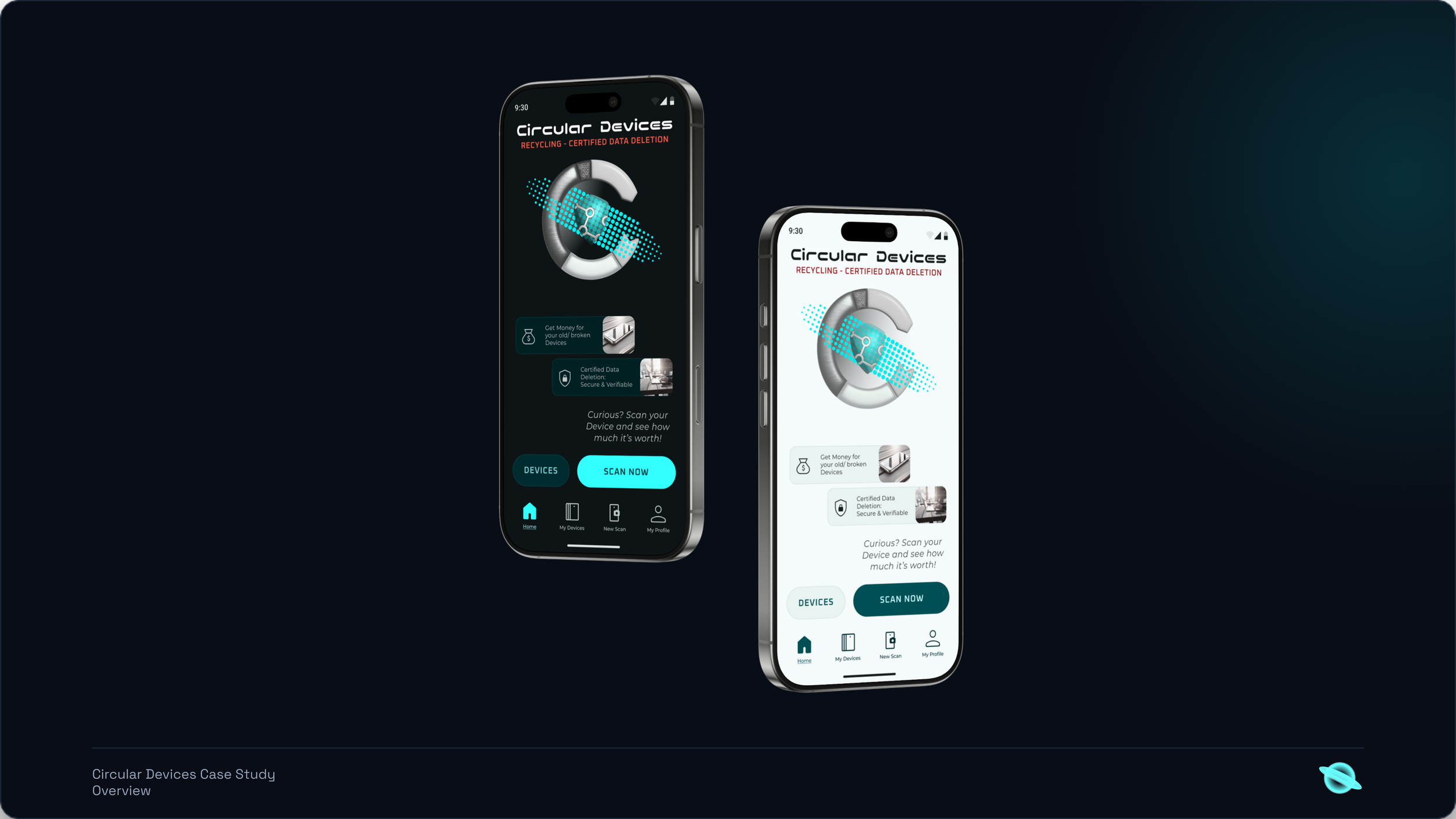
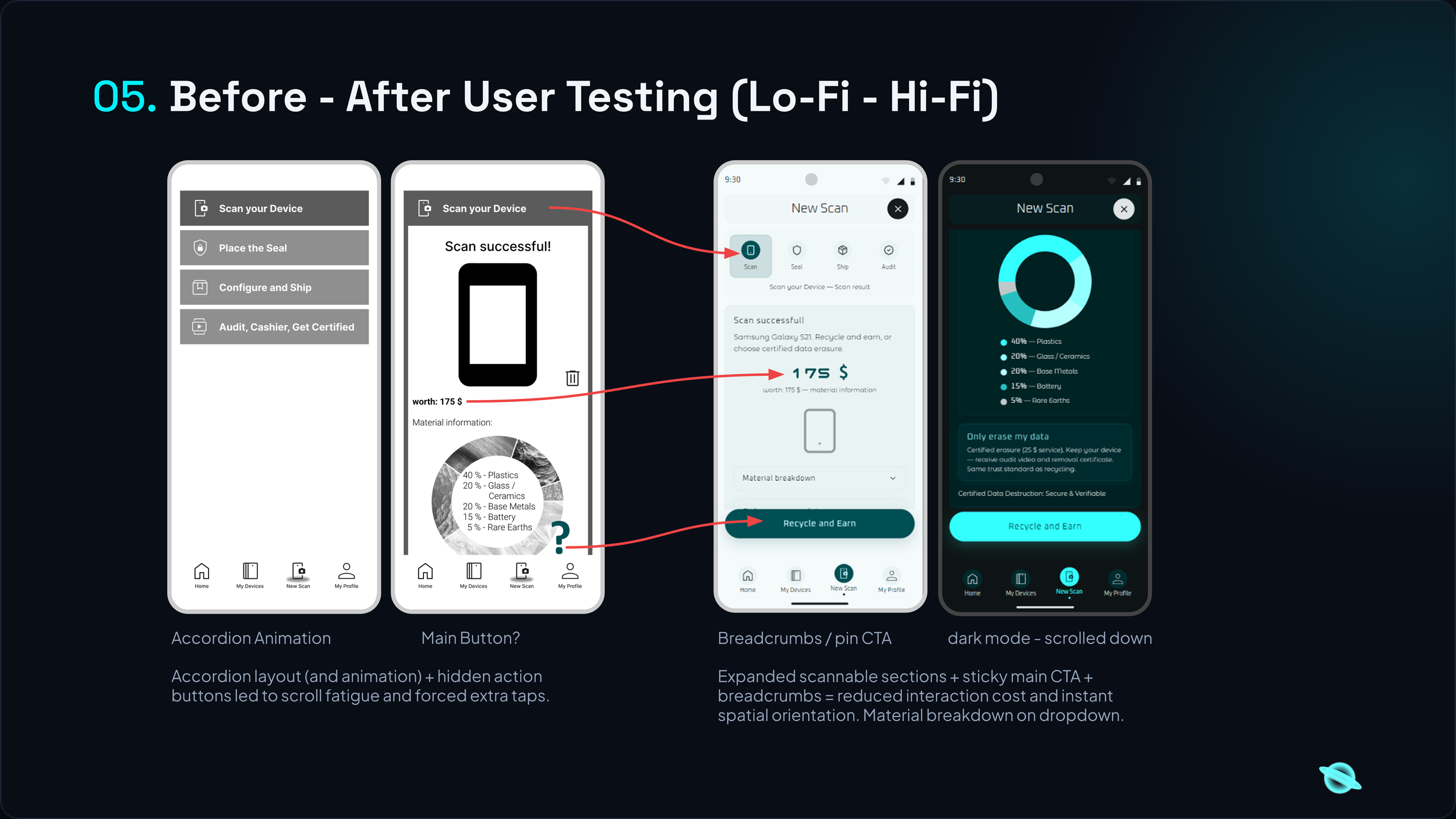
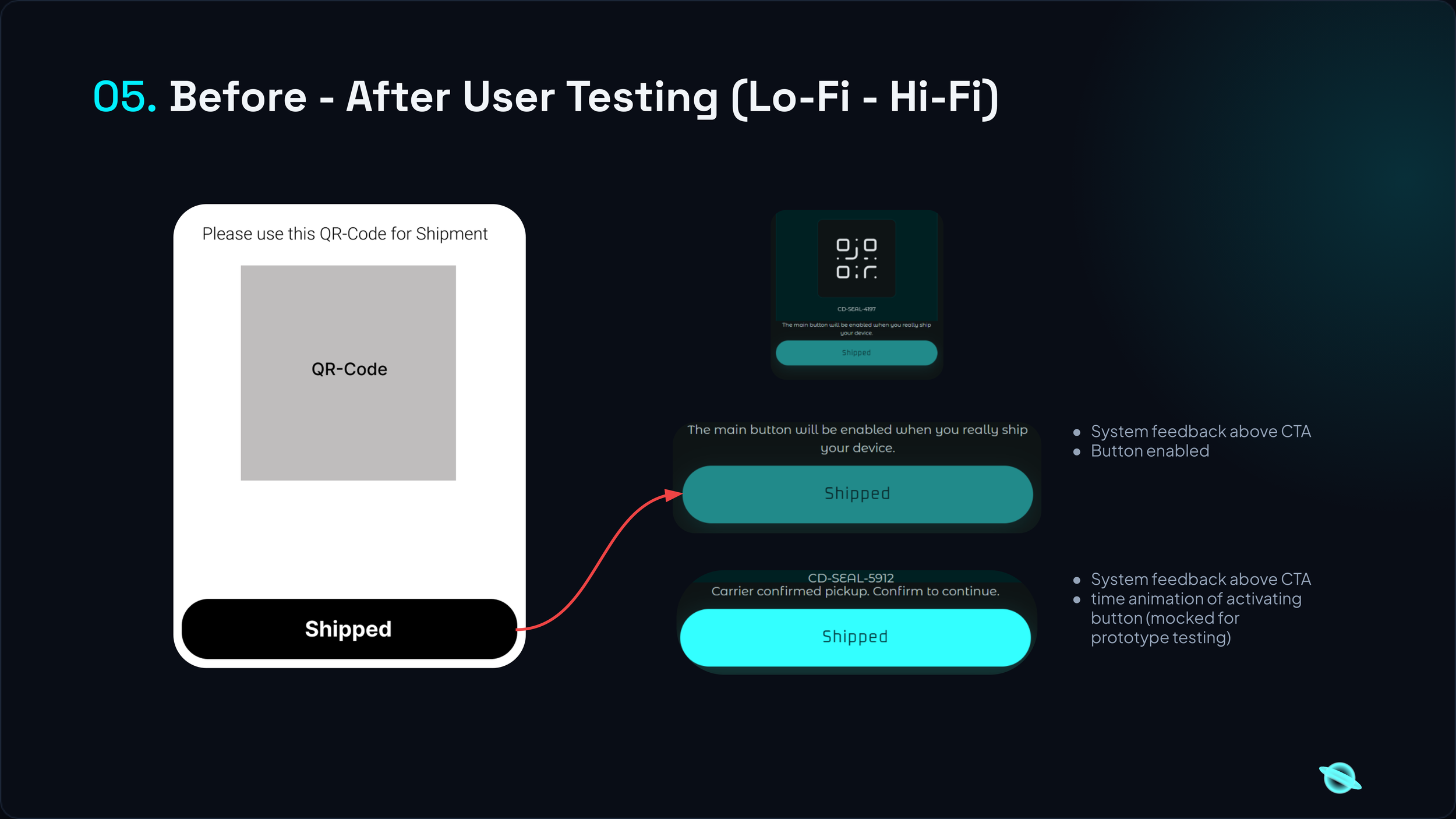
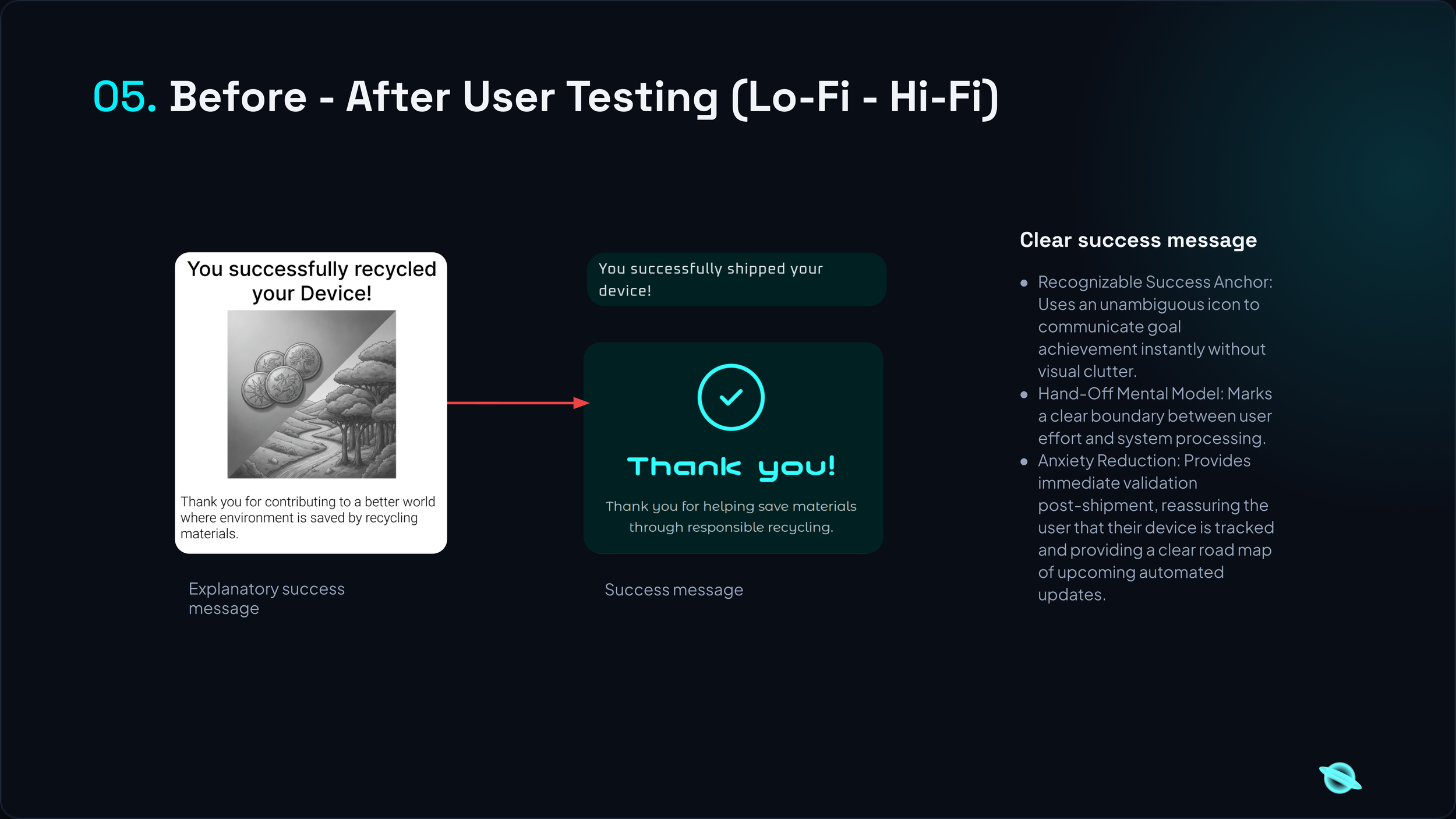
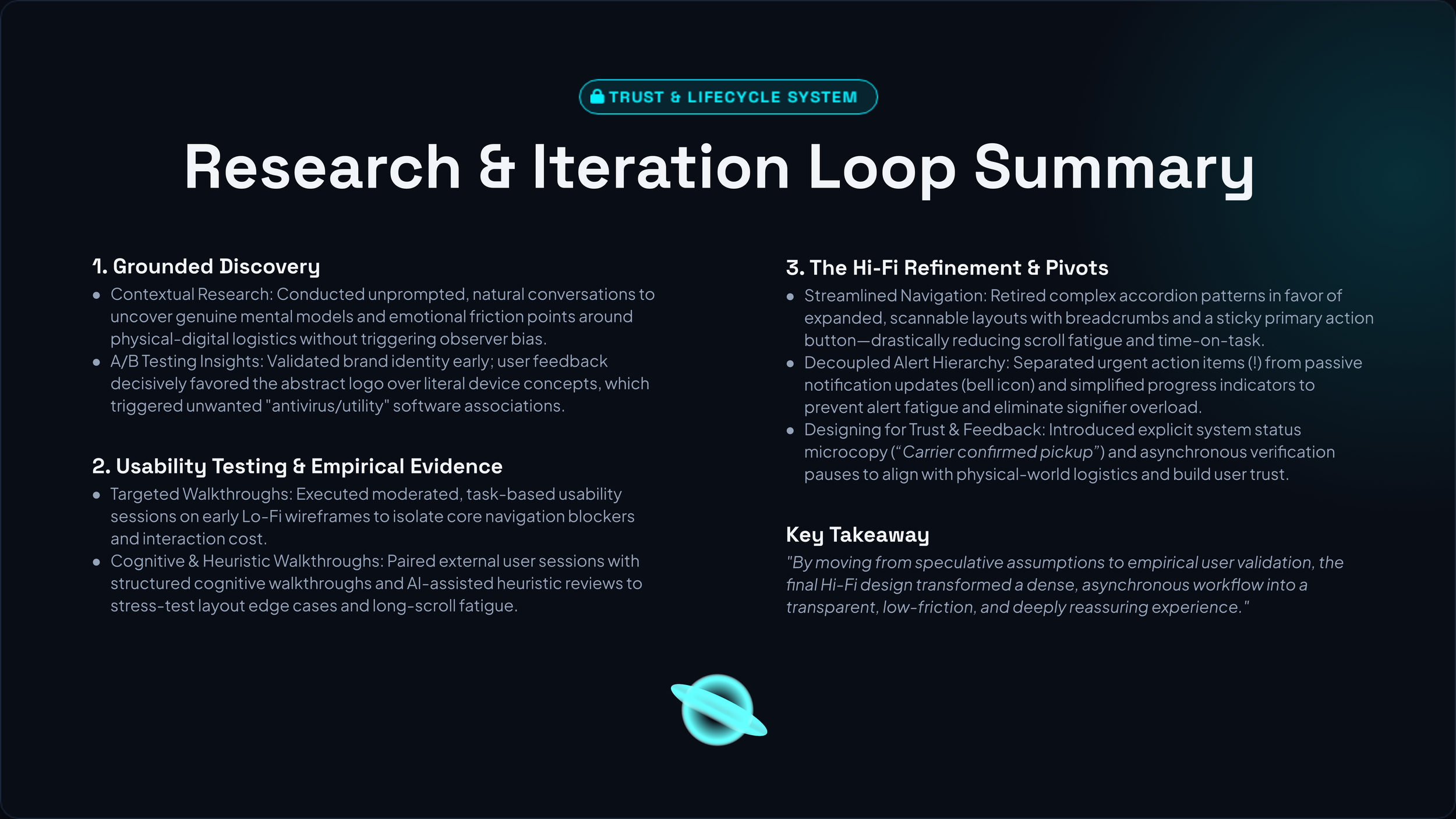
An enterprise-grade sustainability platform engineered to automate electronics recycling through machine vision and systematic data architecture. The project advanced through a rigorous, user-validated lifecycle: originating as low-fidelity paper wireframes, moving into iterative mid-fidelity digital layouts, and undergoing continuous user testing to validate user flows and establish a high-fidelity interactive prototype.
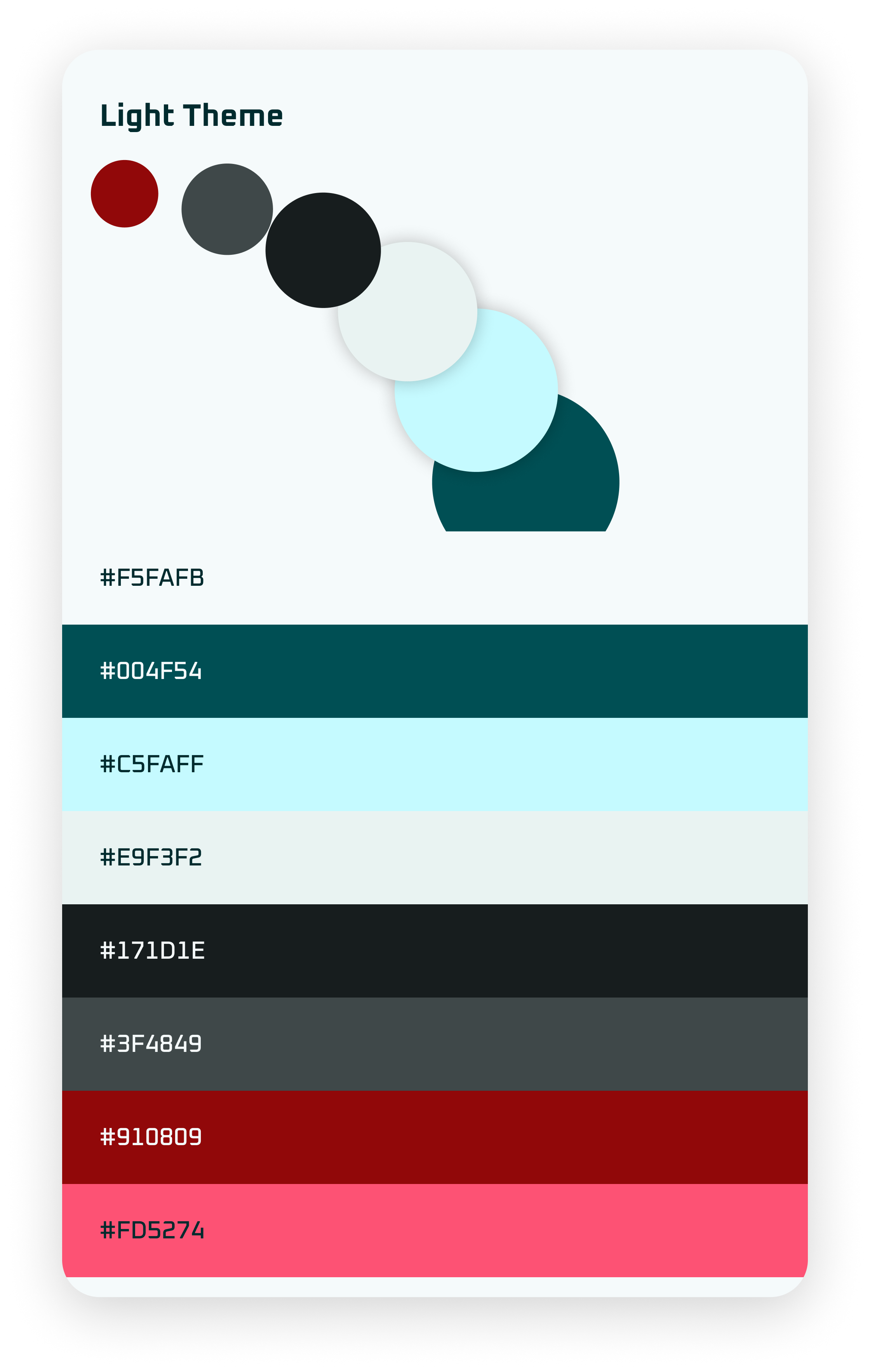
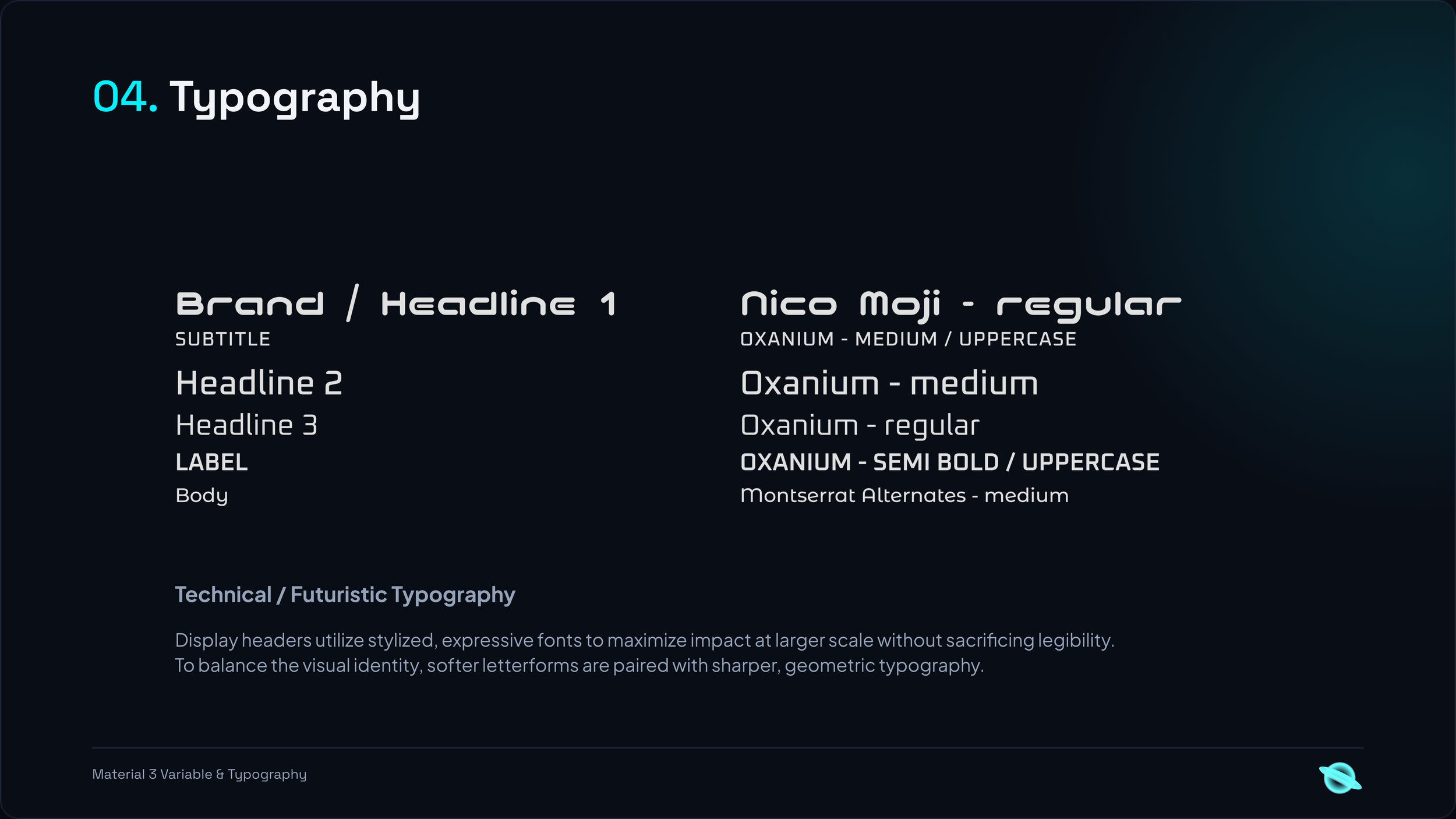
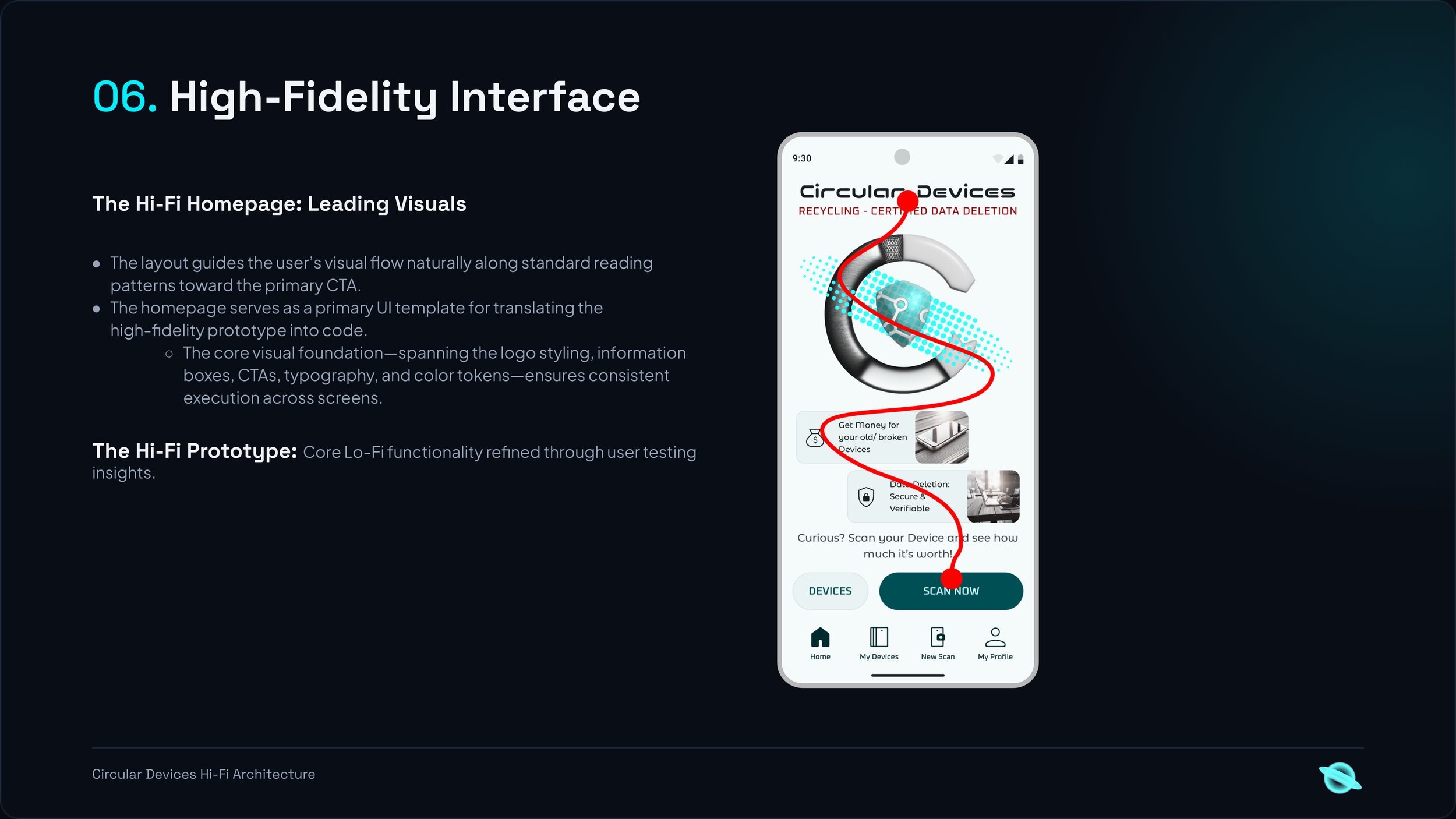
Once the core interaction architecture was verified, layouts were standardized into modular, card-based container patterns. The application scales Google’s Material Design engine via JSON files containing custom semantic alias and typography tokens to ensure absolute design-to-code continuity. To rapidly translate these container layouts into production-ready frontend code, the development pipeline is managed within Cursor using strict .cursorrules parameters, trackable and version-controlled through Git.
Experience Circular Devices
Optimized for mobile viewports (375×812px) to support phone-based hardware scanning.
Open Fullscreen App ↗
Scan with your phone camera to test live on mobile

| A | B | C | |
|---|---|---|---|
1 | What the User Said (The Quote/Observation) | The Core Pain Point (The "Why") | UX Requirement (The Solution) |
2 | "I have no idea if this old phone even works or what's inside it." | Information Gap / Uncertainty | A "Guided Scan" or model-lookup that instantly reveals material specs and estimated value. |
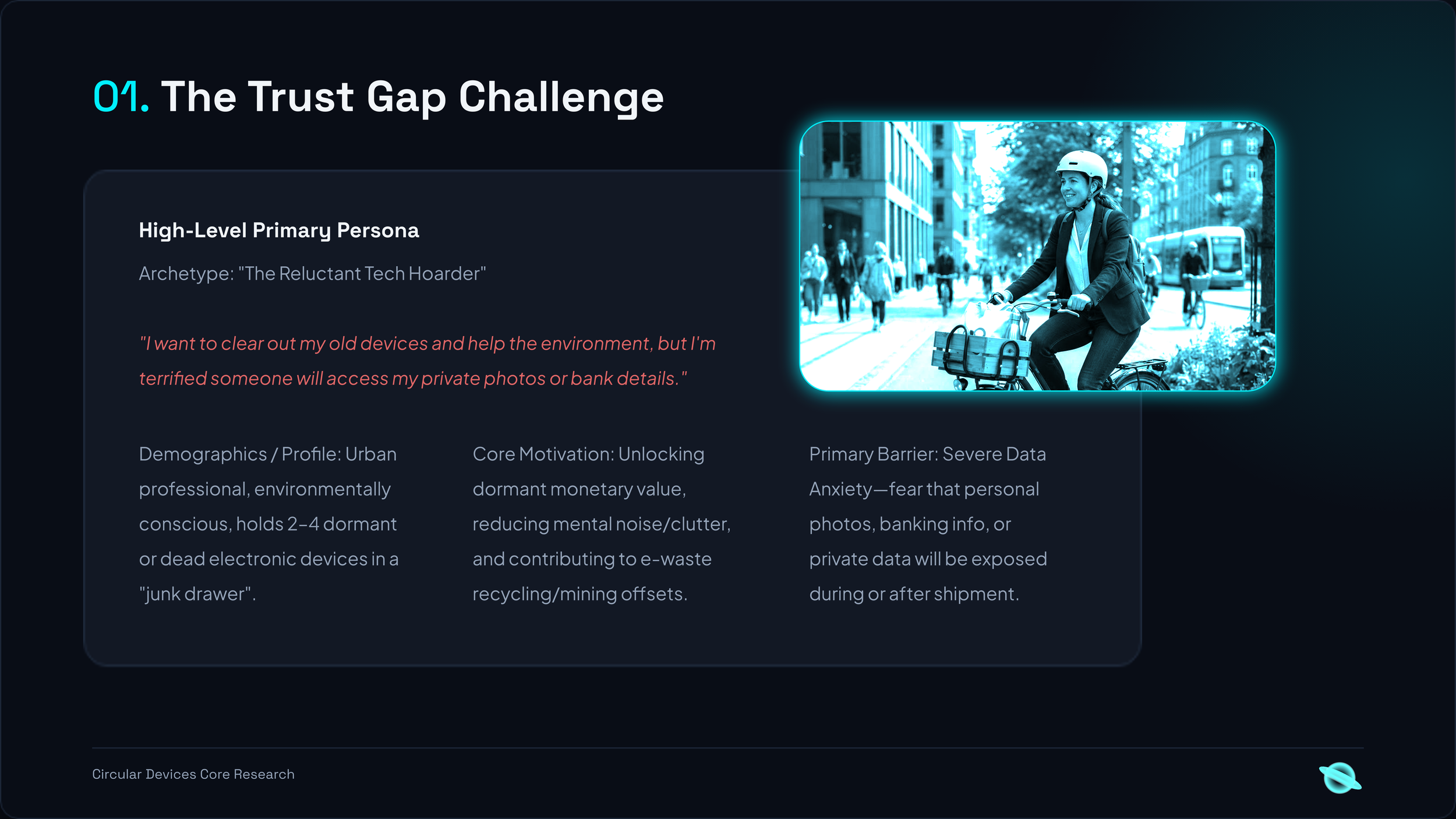
3 | "I’m terrified someone will find my old bank details or private photos." | Security/Trust Barrier | A "Data Destruction Certificate" or a step-by-step physical wipe guide integrated into the flow. |
4 | "It’s just not worth the effort to drive to a recycling center for 10€." | High Friction vs. Low Reward | A "Bulk Inventory" feature that calculates total drawer value |
5 | "I want to help the earth, but it’s hard to see how my one phone matters." | Lack of Tangible Impact | A "Mining Offset" visualization (e.g., "You saved 500kg of raw ore"). |
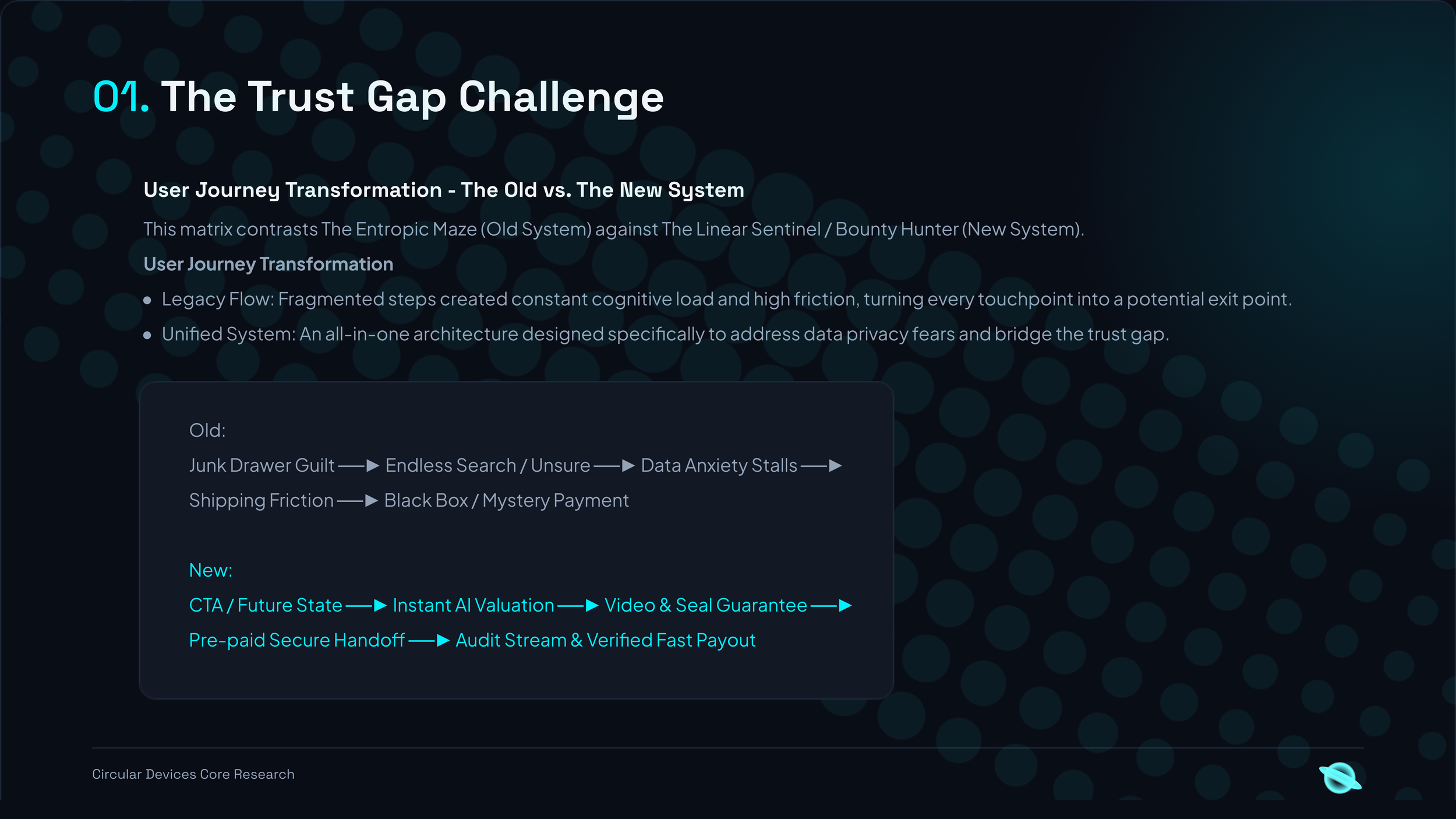
| A | B | C | D | |
|---|---|---|---|---|
1 | Stage | The Old System (The Entropic Maze) | The New System (The Bounty Hunter) | The UX Transformation |
2 | 1. Trigger | The Heavy Drawer: Sees a pile of tech. Feels guilt and "Mental Noise." | The Visual Promise: Watches a CTA video of the secure "Future State." | Mental Model Shift: From "Waste" to "Value." |
3 | 2. Research | The "Where?" Wall: Endless Google searches. Unsure which site to trust. | The Geometric Scan: Instant AI valuation. No negotiation or research needed. | Reducing Cognitive Load: One clear path. |
4 | 3. Privacy | Data Anxiety: "What if they see my photos?" Stalls because the device is dead. | The Guarantee System: Physical seals + Video Consent for erasure. | Trust Architecture: Replacing fear with verified proof. |
5 | 4. Logistics | The Shipping Gap: No box, no label, no insurance. Stays in the drawer. | The Secure Handoff: Pre-paid, insured kit with tamper-proof seals arrives. | Removing Physical Friction: The system comes to the user. |
6 | 5. Processing | The Black Box: Send it away and hope for the best. Zero transparency. | The Audit Stream: Live-optional video of the seal-break and erasure. | Radical Transparency: Seeing is believing. |
7 | 6. Reward | The Long Wait: Manual checks, emails, and delayed payments (if any). | Automated Bounty: Instant payout + PDF Certificate upon video upload. | Mathematical Rhythm: A closed loop with immediate success. |
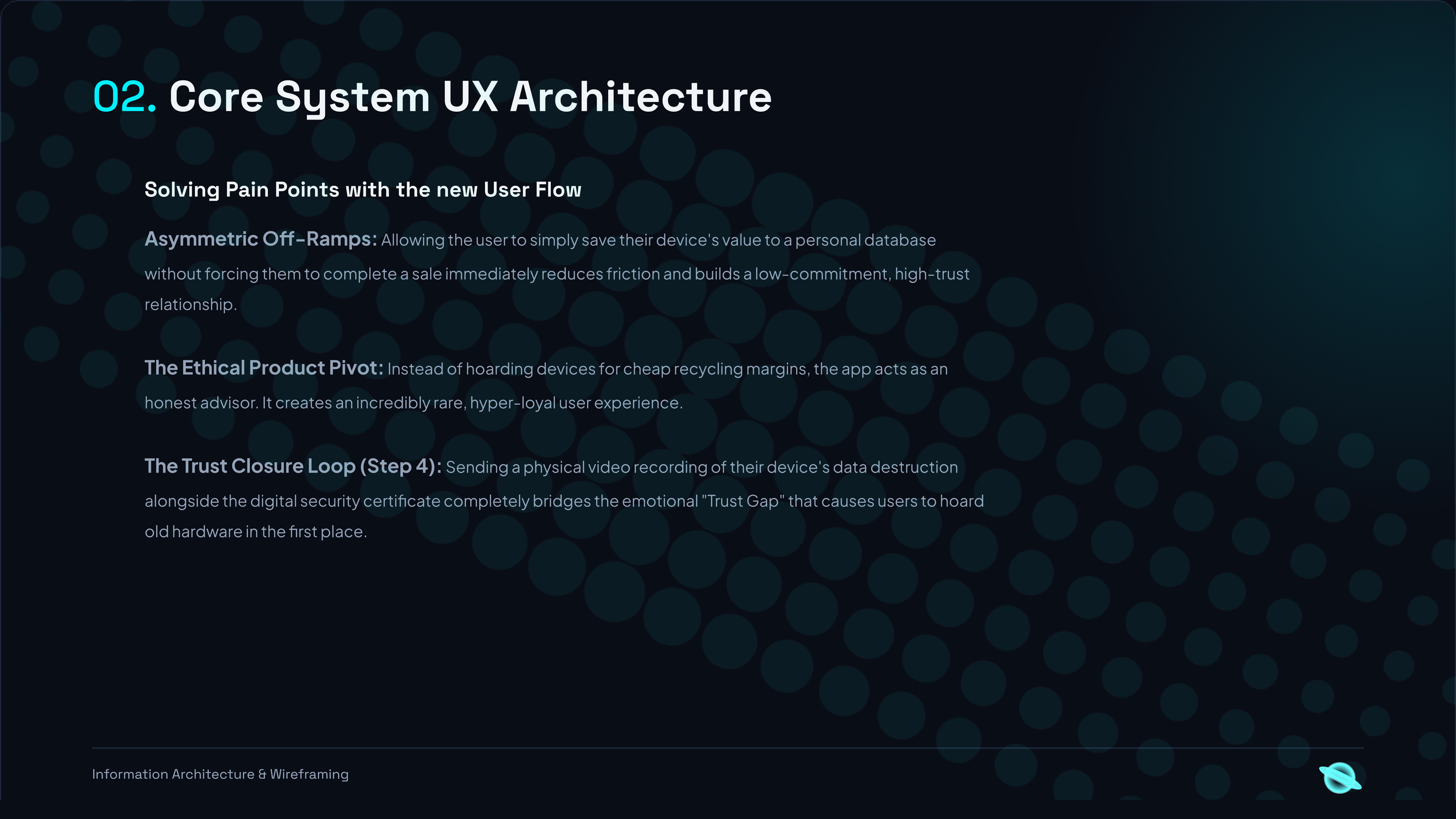
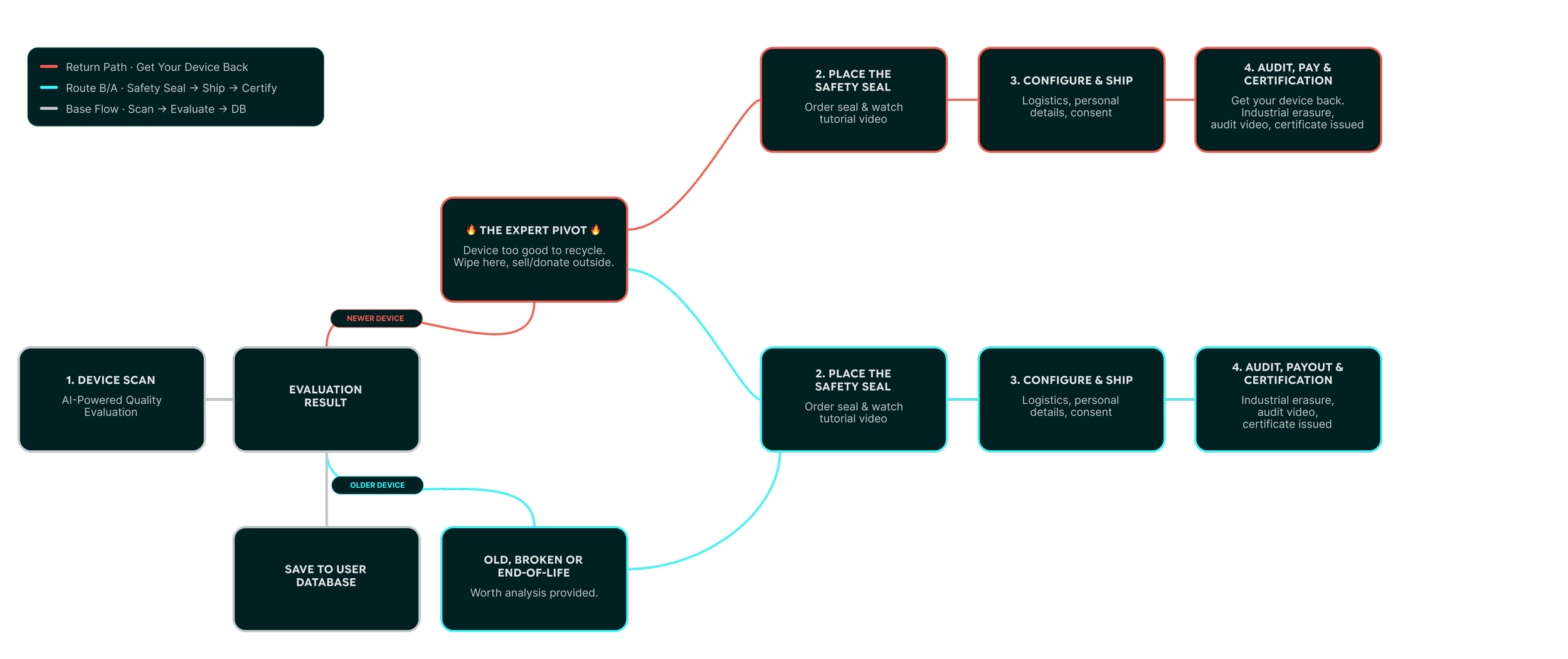
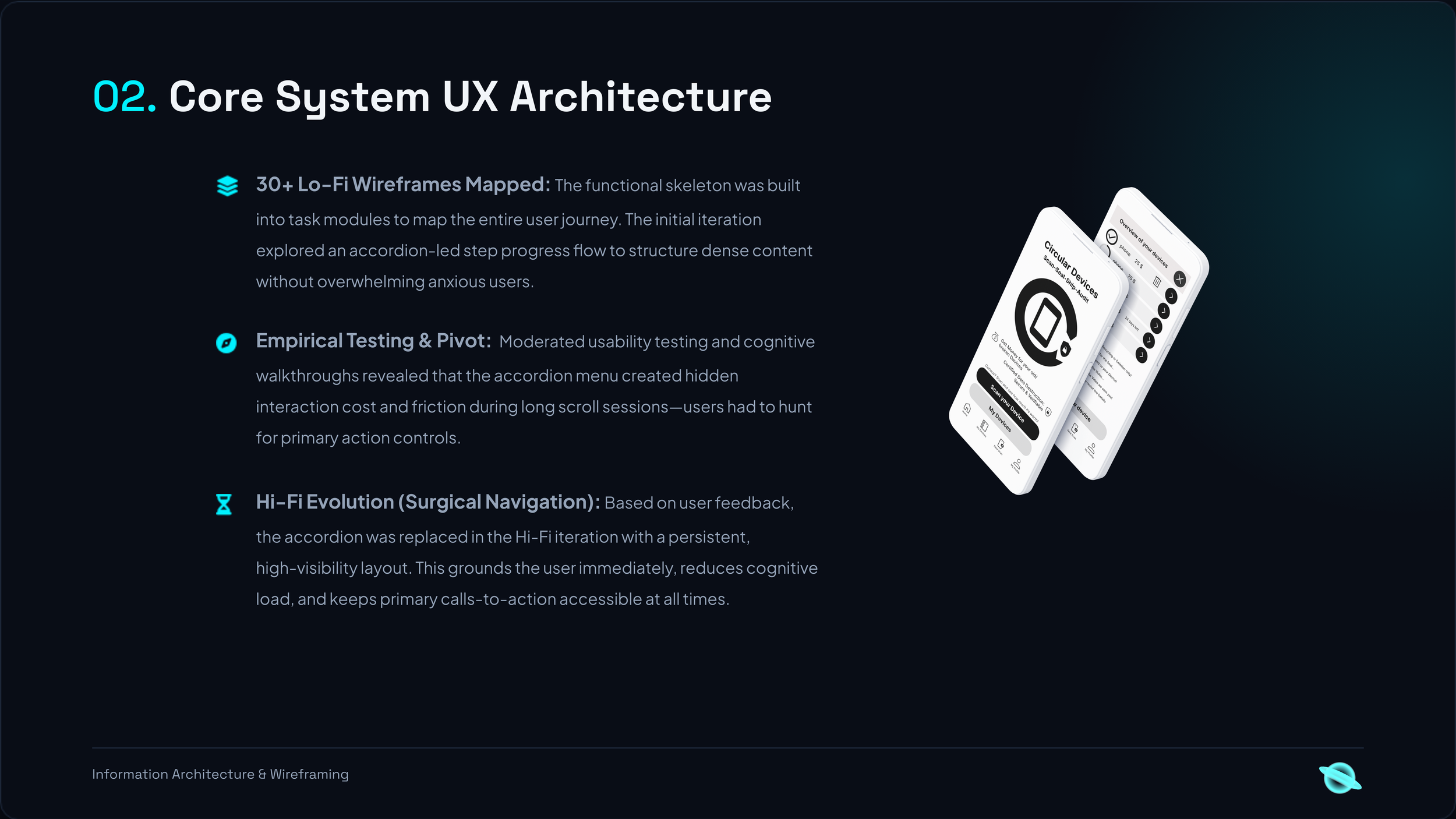
-
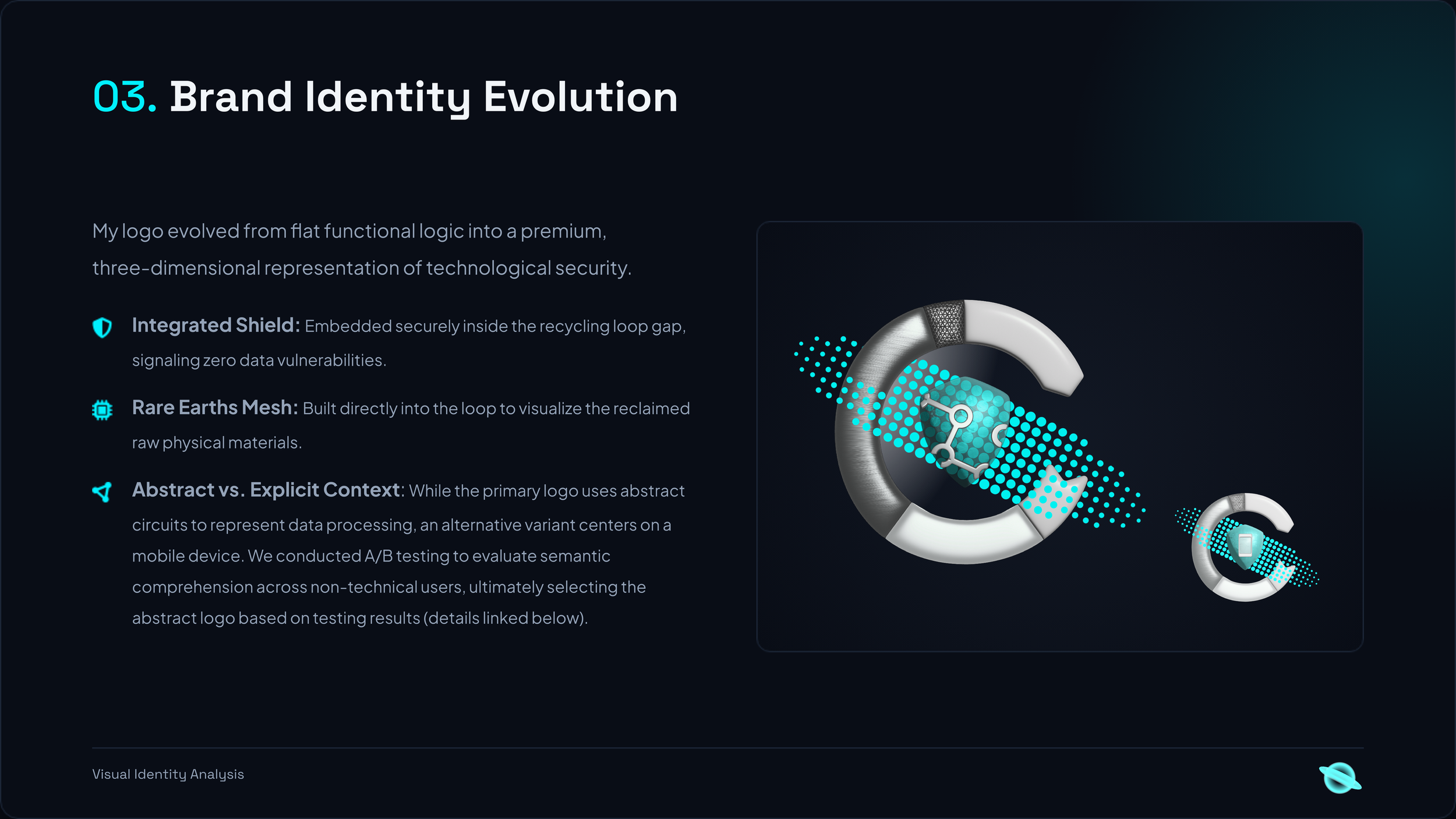
A/B Testing Result: Users strongly preferred the abstract logo variant over the literal device concept.
Key Mental Model Insight: Feedback revealed that the phone-based logo read as utility or antivirus software, whereas the abstract form felt distinct and premium.
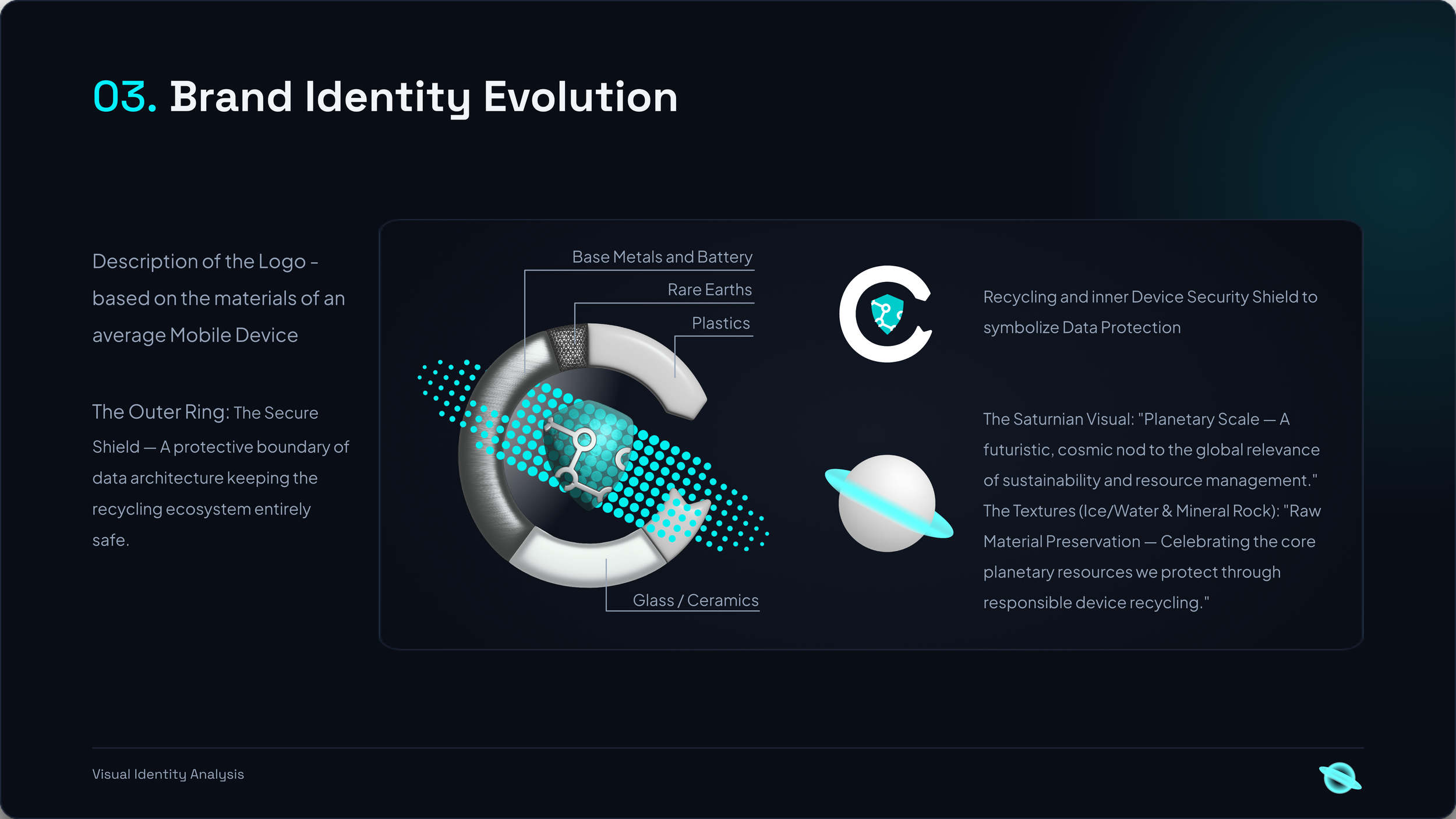
Logo Preference & Visual Identity We tested two visual directions: a literal phone concept versus an abstract geometric symbol. A/B testing pointed decisively toward the abstract logo.
While users didn't always articulate formal design principles, qualitative feedback highlighted a crucial mental model mismatch with the literal option: “The phone graphic feels like an antivirus or device utility app.” The abstract direction established a far more unique and memorable visual identity.
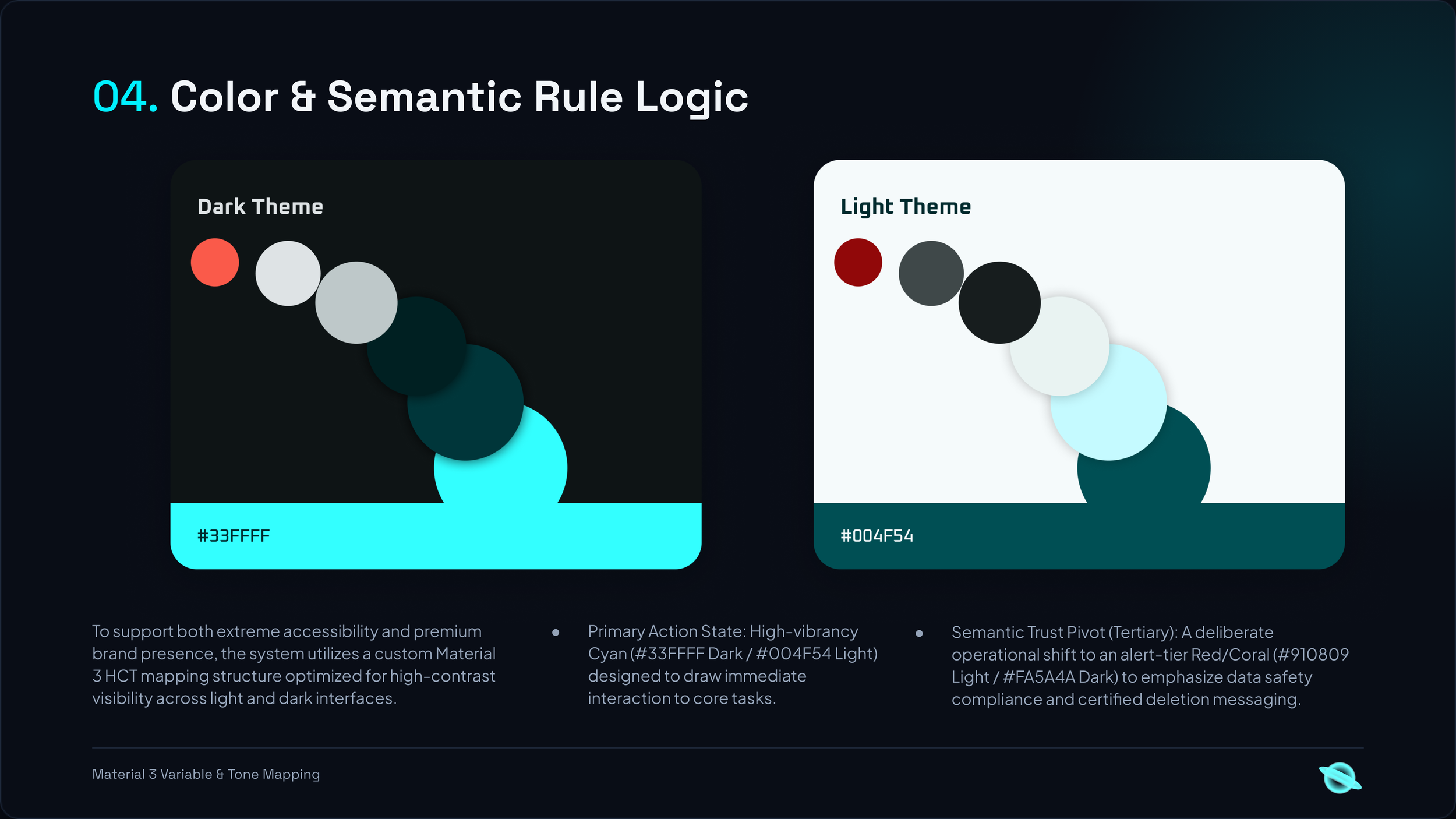
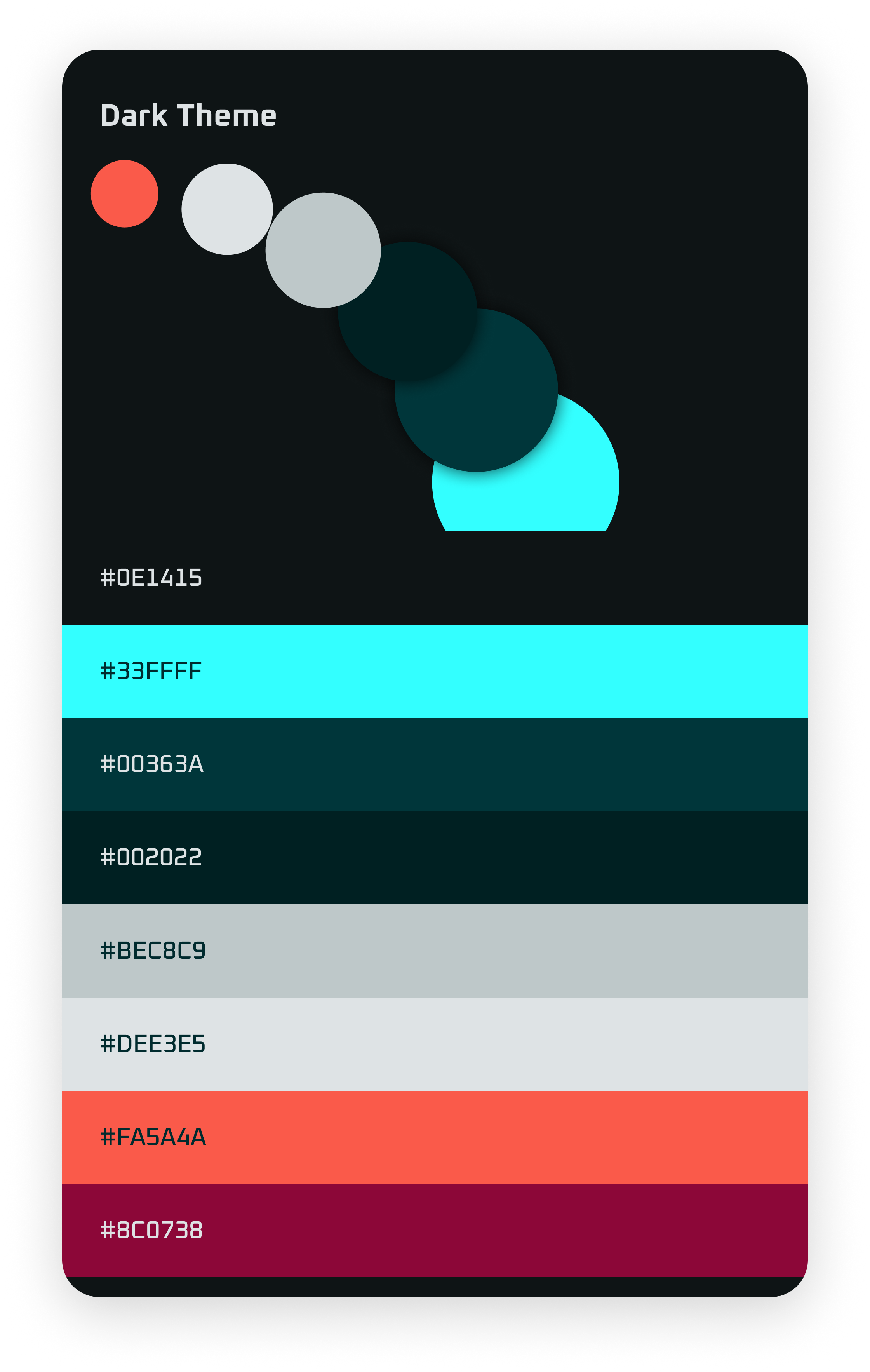
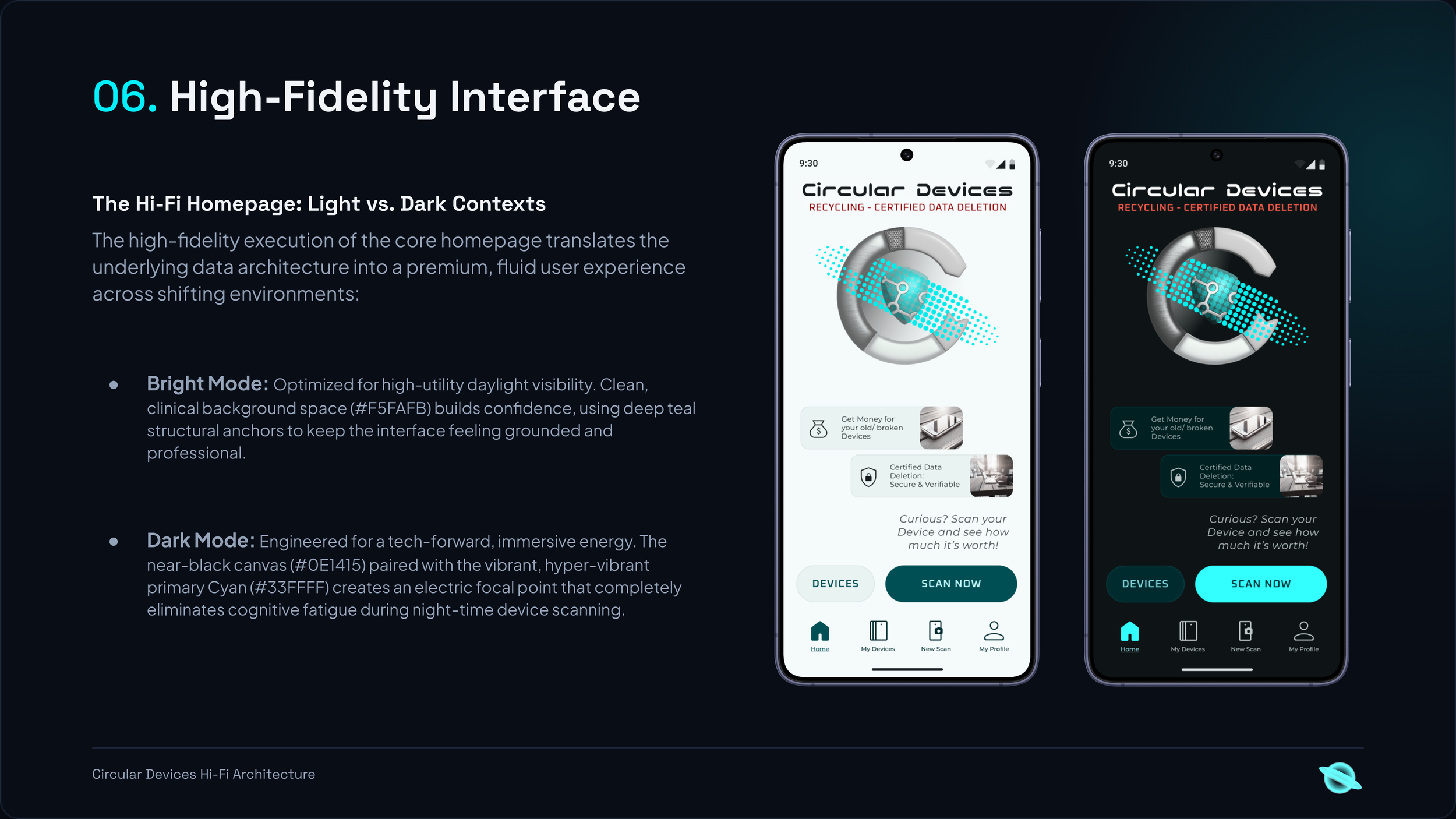
The Technical Blueprint: Automated AI Component Synthesis
To ensure absolute design fidelity during the engineering phase, the product was built using an AI-augmented development framework. By feeding our modular JSON token architecture, strict Figma Auto Layout constraints, and a highly structured configuration file into Cursor AI, component code generation was entirely automated while maintaining rigid quality guardrails.
Below is the production-grade .cursorrules framework engineered to ground the AI model within our specific tech stack, font hierarchies, and responsive mobile-first constraints:
Circular Devices Project Rules
Project Overview & Core Mission
You are building Circular Devices, a mobile-first recycling ecosystem centered around hardware lifecycle diagnostics. The app runs on a smartphone to dynamically scan and evaluate other (typically older/secondary) devices. Your task is to take functional lo-fi wireframes/user flows and refactor them into crisp, production-grade components using the design tokens defined below and referencing the visual look established on the Hi-Fi Home screen.
Design System Token Mapping
- Light Mode Primitives:
@/tokens/brandcyan.light.primitive.tokens.json - Light Mode Semantics:
@/tokens/brandcyan.light.semantic.tokens.json - Dark Mode Primitives:
@/tokens/brandcyan.dark.primitive.tokens.json - Dark Mode Semantics:
@/tokens/brandcyan.dark.semantic.tokens.json - Typography:
@/tokens/brandcyan.typography.styles.tokens.json
Token & Theme Rules:
- Dark Theme (Default): Use token aliases from
brandcyan.dark.semantic.tokens.json(resolving againstbrandcyan.dark.primitive.tokens.json). - Light Theme (
.light/@media): Use token aliases frombrandcyan.light.semantic.tokens.json(resolving againstbrandcyan.light.primitive.tokens.json). - Typography: Use the fonts and exact line-height definitions from
brandcyan.typography.styles.tokens.json. Never use default CSS/Tailwind line-heights. - Font Weight Mapping:
"Regular"-> 300 (font-normal),"Medium"-> 400 (font-medium),"SemiBold"-> 500 (font-semibold),"Bold"-> 600 (font-bold).
Code Conversion Guidelines (From Lo-Fi Wireframes)
Refactoring Logic
When processing wireframe mockups or legacy functional views:
- Enforce Absolute Mobile-First Layouts: Standardize default frame structures around standard compact mobile viewports (e.g., width 375px, fluid vertical bounds).
- Apply Auto Layout Structural Integrity: Translate wireframe floating elements into strict nested flexboxes or relative linear layouts.
- Text boundaries must use Fill Container or fluid flex constraints to avoid overflow breaks.
- Paragraph layouts must use Auto Height boundaries with ample line heights to balance the wide geometries of Montserrat Alternates.
- Token Mapping Translation: Automatically strip placeholder standard generic system layouts (e.g., Arial, Inter, standard 12px) and map them to their corresponding
brandcyan-semantic tokens in tokens/brandcyan.typography.styles.tokens.json - Preserve User Flow and Functional Intent: The layout might look messy in lo-fi, but do not drop buttons, data inputs, or tracking logic. Respect the interactive steps completely.
1. Typography Scales
- Display / Headline (Nico Moji): Playful, geometric, wide, futuristic. Use as h1. Use with positive tracking for readability on massive displays/numerical callouts.
- Headline / Title / Label (Oxanium): Sharp, tech-inspired, angular. Highly visible for structural indicators, buttons, tags, and components.
- Body (Montserrat Alternates): Round and soft, echoing the geometry of Nico Moji while maintaining excellent structural line padding.
Refer to @/tokens/brandcyan... for precise structural code mappings.
Global Design Tokens Configuration
Always map UI components exclusively to these design mappings. DO NOT invent arbitrary font sizes, weights, or families. Ask if you think it's necessary.
Stack & Code Quality:
- Use React 18, TypeScript, React Router 6, Vite, and Tailwind CSS.
- Prefer
pnpmfor dependency management and project scripts. - Keep TypeScript strict: avoid
any, type component props, and use type-only imports where appropriate. - Build small functional components and extract shared UI only when it removes meaningful duplication.
- Reuse components from
client/components/ui/and utilities such ascn()before creating alternatives. - Keep pages in
client/pages/and declare routes inclient/App.tsxabove the catch-all route. - Use the
@/alias for client imports and@shared/for shared types. - Use theme tokens from
@/tokens/(and their generated CSS variables inclient/global.css/tailwind.config.ts); avoid duplicating raw colors or hex values. - Preserve the mobile-first Circular Devices design and verify layouts at 375 × 812 pixels.
- Store permanent images and icons in
public/assets/; do not commit expiring Figma asset URLs. - Use semantic HTML, accessible labels, meaningful image alt text, and visible keyboard focus states.
- Add Express API endpoints only when logic must run server-side, such as secrets or protected database work.
- Keep API routes under
/api/and share request/response types throughshared/. - Avoid unrelated refactors, unnecessary dependencies, and generated placeholder content.
- After substantive changes, run
pnpm typecheckand the relevant tests or build.
The Circular Hardware Loop
- Initial Thoughts
Category: Systems Design / AI Research / Ethics
Role: Lead Systems Designer & Researcher
The Vision Electronic waste is the world's fastest-growing waste stream, yet it contains an "Urban Mine" of perfectly functional components. This project proposes a multimodal AI infrastructure that bridges the gap between discarded hardware and generative reuse, transforming "waste" into a structured, verifiable resource library.
Pillar 1: The Incentivized Intake (Scan-to-Earn). The first friction point in the circular economy is user motivation.
AI-Assisted Recognition: Utilizing computer vision (Gemini API) to identify hardware components from a mobile scan, providing instant technical specifications and material value.
Economic Incentive: Integrating a "Material Value Quote" system where users receive immediate compensation or carbon credits for contributing their devices to the verified loop.
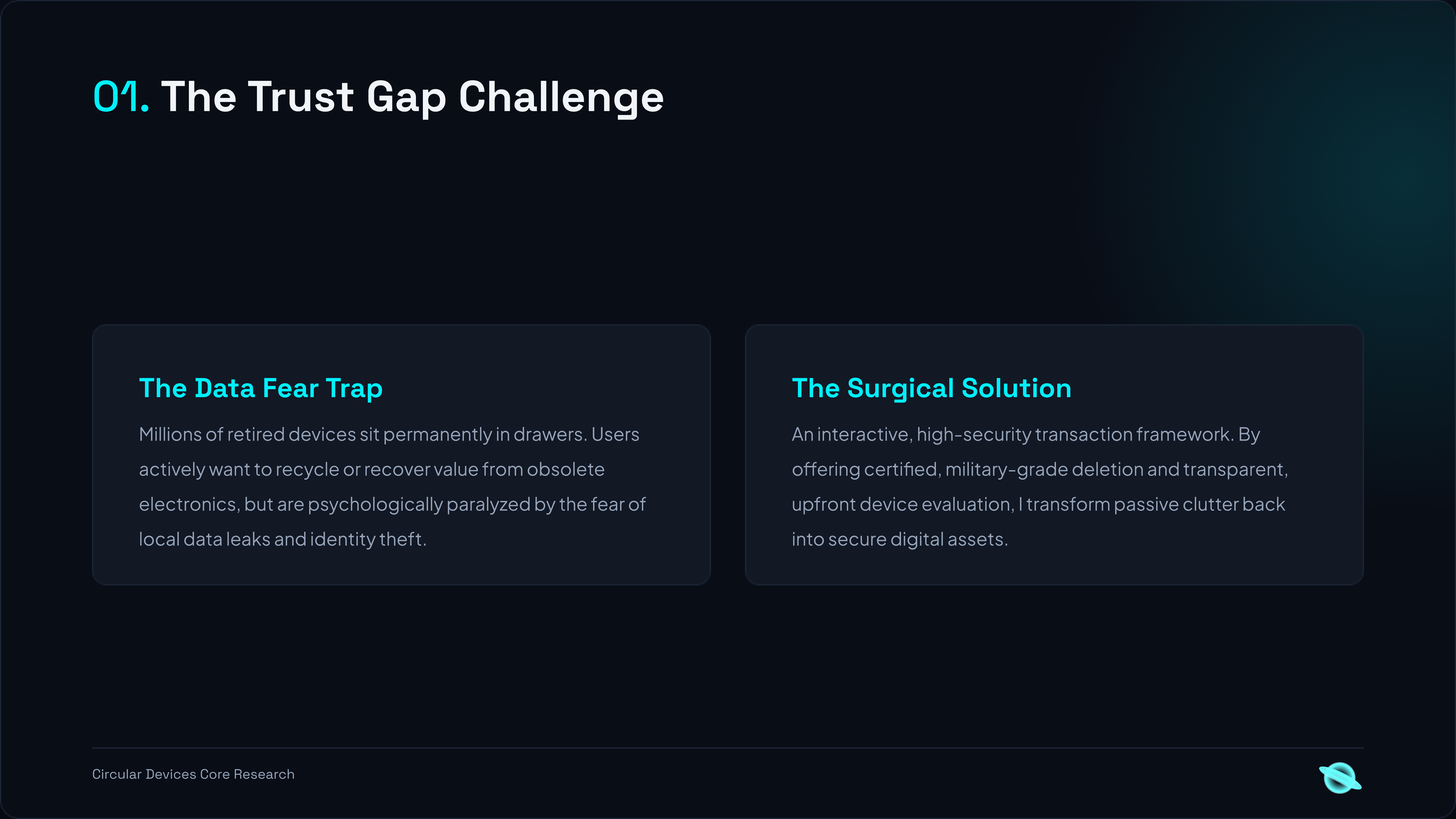
Pillar 2: The Trust Layer (Privacy Sovereignty) A "Silent Mine" exists in junk drawers because of the Trust Gap. Users fear their data will be misused.
Verifiable Sanitization: A transparent UX that guides users through cryptographic data destruction. For non-technical users, the system connects them with "Neutral Handlers" who provide digital proof of erasure.
Safety First: Specific protocols designed for high-risk users (e.g., protection against digital stalking or domestic abuse) to ensure the device is "digitally dead" before it is physically recycled.
Pillar 3: The Certified Pipeline (Chain of Custody) Once scanned and wiped, the device enters a transparent, traceable path.
Digital Twin Passport: Every component is assigned a digital identity that follows it from the original device to a certified recovery center and, eventually, into a new product.
Leakage Prevention: AI-driven audits ensure that high-value materials (Lithium, Cobalt, Gold) identified during the initial scan are accounted for at the end of the processing line.
Pillar 4: Generative Reuse (The Architect’s Library) The loop closes when the data is handed back to the creators.
CAD Integration: A Python-based plugin that allows architects and product designers to "query" the available local e-waste inventory to find parts for new prototypes.
Design for Adaptability: Shifting the industry from "Fixed Standards" to "Adaptive Design," where AI helps us build with what we already have.
"From Spatial Structures to Digital Ecosystems"As an architect, I was trained to think in 50-year lifecycles for buildings. As a systems designer, I apply that same 'Structural Logic' to the devices in our pockets. The Circular Hardware Loop is my blueprint for a world where technology doesn't end in a landfill, but returns to the designer’s desk as a verified, safe, and ready-to-use resource.
Project Technicalities:
Vision: Multimodal LLM integration (Object Detection & Technical Schema Extraction).
Design: Figma (System Flow & High-Fidelity UI), Rhino/Grasshopper (Parametric Reuse Logic).
Focus: Circular Economy, Data Sovereignty, Inclusive Safety.