Focus & Flow — Pomodoro Timer
Minimalist productivity timer featuring promise-managed rain audio,
glass UI, and automated CI/CD deployment via Vercel.
Case Study — Pomodoro Focus Sanctuary with Ambient Audio & PiP Mode
An engineering case study on building a modern, distraction-free productivity dashboard combining sensory design, browser APIs, and AI-assisted workflows.
Key Highlights
🧠 About the Pomodoro Technique
Developed by Francesco Cirillo in the late 1980s, the Pomodoro Technique is a time-management methodology that uses timed work intervals—traditionally 25 minutes long—separated by short 5-minute breaks. After four consecutive work intervals (or "Pomodoros"), a longer recovery break of 15–30 minutes is taken. By transforming time from an opponent into a structured rhythm, the technique combats cognitive fatigue, reduces context-switching, and maintains continuous deep focus.
1. Overview
Focus & Flow elevates the classic Pomodoro concept into a rich, interactive web application. It bridges rigid time management with an adaptable sensory environment, combining ambient rain audio, custom liquid fill progress indicators, and responsive layouts that scale seamlessly down to 320px mobile viewports.
2. Problem & Requirements
- Visual Clutter: Heavy UI borders and dense typography steal focus away from work tasks.
- Cross-Device Constraints: Desktop floating windows break on mobile devices without clear fallback views.
- Fragile Session States: Modifying tasks mid-cycle in standard apps often causes unwanted timer resets.
- Mobile Scalability: Complex dashboard tools frequently break or overlap on small 320px screens.
3. Architecture & Stack
| Layer | Tech | Implementation Details |
|---|---|---|
| Frontend Core | Vanilla JS (ESM), HTML5, CSS3 | Modular ES modules with zero heavy external dependencies. |
| Development Workflow | Cursor IDE, GitHub Actions, Vercel | AI-assisted development pipeline with automated continuous deployment. |
| Styling & FX | CSS Glassmorphism, Fluid Layouts | Dynamic liquid progress animation with stable scaling down to 320px. |
| Native APIs | Document PiP, Notifications, Web Audio | Always-on-top floating desktop window and state-synced ambient sound. |
4. Key Engineering Lessons
Created a custom "Focus on Pom" mobile modal overlay as a fallback for mobile browsers that do not support desktop Document Picture-in-Picture.
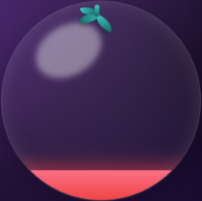
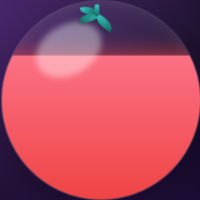
Thinned the outer timer rings and reduced font weights to keep the central glass tomato as the primary focal graphic.
Isolated task creation and editing logic from the timer clock ticks, preserving paused session state during mid-session adjustments.